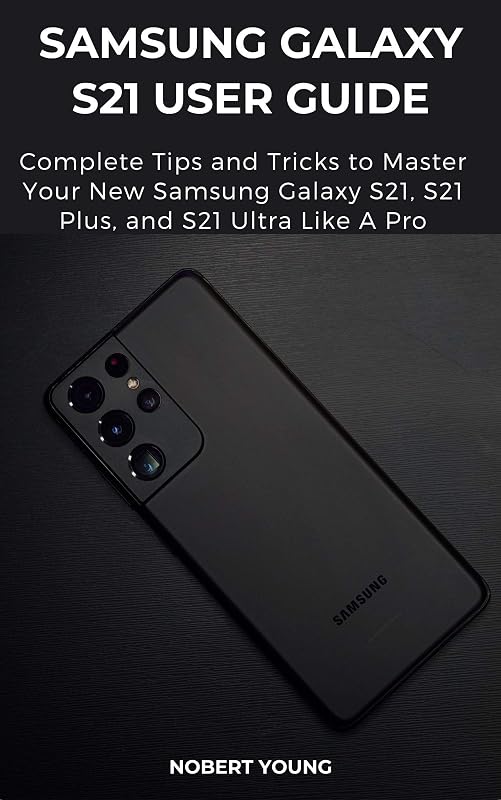
Samsung Galaxy S21 User Guide: Complete Tips and Tricks to Master Your New Samsung Galaxy S21, S21 Plus, and S21 Ultra like a Pro by Nobert Young

Samsung Galaxy S21 User Guide: Complete Tips and Tricks to Master Your New Samsung Galaxy S21, S21 Plus, and S21 Ultra like a Pro

Nobert Young
179 pages
Jan 2021
Hardcover
Default WSBN
0
Readers
0
Reviews
0
Discussions
0
Quotes
A Comprehensive User Guide with Clear Screenshots to Guide you in Mastering your Samsung Galaxy S21, S21 Plus and S21 UltraCongratulations on purchasing the latest addition to the Samsung Galaxy family, the S21 Series. Now, you need a well-illustrated user guide that contains all the hidden tips and tricks to help you to maximize the full potentials of your Samsung device. This user guide has all the tricks and tips you need to know to familiarize yourself with the Galaxy S21, S21 Plus or S21 Ultra.There is a whole lot to know about these new Galaxy S devices, and we have combined all this information into this easy to understand and well-illustrated user guide.Here is a preview of what you will get from this user guide:How to Set up the Samsung Galaxy S21Power On/ Off Your DeviceAuto- Restart Your DeviceLift to Wake FeatureTransfer Files Instantly with Quick ShareSet Up and Use Music ShareAttend to Calls from Your Connected DevicesLink Your Phone to Your ComputerEnable Caller ID and Spam ProtectionEnable Digital WellbeingUsing Samsung FinderMaximize Battery Life of your PhoneEnable Fast ChargingWireless PowerShareCustomize the Home Screen and Lock ScreenManage Google Assistant on S21Add a Trippy Audio TrackExtend the TimerShoot 8K VideosCustomize Slow Motion VideosAdd a Filter to your Videos/ PhotosEnable Scene OptimizerActivate Shot SuggestionLive Focus ModesExplore the Food ModeAutomatically Correct Wide-Angle ShotsAdvanced Recording OptionsTake Photos with PalmPlay with Sound Settings (Separate App Sounds) Customize Sound Based on AgeDolby AtmosUsing UHQ UpscalerChange Bluetooth Audio CodecExplore the Sound Assistant AppIn-Display Ultrasonic Fingerprint ScannerThe Alternate Look FeatureEnable Wi-Fi Calling on the Galaxy S21Using the Google Duo in the Phone DialerAlways On DisplayChange Refresh Rate on your S21Screen ModeBlue Light FilterEnable One-Handed ModeSwitch to Vivid DisplayDual MessengerAssistant MenuPin Windows FeatureAnd lots more!Additional Value for this BookStep by Step Instructions with Clear Images for better understanding.Detailed Table of Content and Index pages for easy and fast referencing.Hidden tips and trips to master the Samsung Galaxy S21 Series.Click the BUY NOW WITH 1-CLICK Button to get started.Download FREE with Kindle Unlimited!Read on your favorite devices such as Kindle, iPhone, iPad, Android cellular phone, tablet, laptop, or computer with Amazon's free reading Kindle App.
Join the conversation

No discussions yet. Join BookLovers to start a discussion about this book!

No reviews yet. Join BookLovers to write the first review!

No quotes shared yet. Join BookLovers to share your favorite quotes!

Earn Points
Your voice matters. Every comment, review, and quote earns you reward points redeemable for Bitcoin.
Comment +5 pts Review +20 pts Quote +7 pts Upvote +1 pt
BookMatch Quiz
Find books similar to this one
About this book
Pages 179
Published 2021
Readers 0