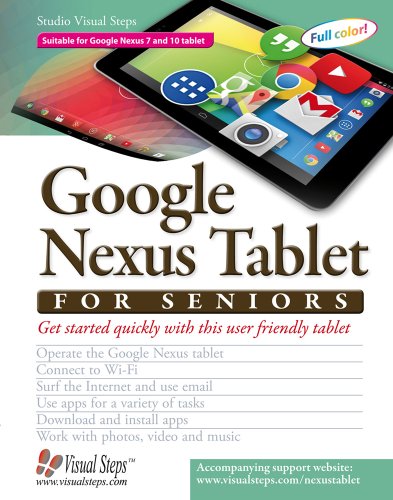
Google Nexus Tablet for Seniors: Get Started Quickly with This User Friendly Tablet by Studio Visual Steps

Google Nexus Tablet for Seniors: Get Started Quickly with This User Friendly Tablet

Studio Visual Steps
Visual Steps Publishing
Nov 2013
WSBN
0
Readers
0
Reviews
0
Discussions
0
Quotes
The Google Nexus tablet is a very user friendly, portable multimedia device that offers a wide range of possibilities. For instance, sending and receiving email messages, surfing the Internet, planning a trip, or keeping a calendar. The tablet comes equipped with a large number of standard apps programs that you can use for instance, to work with photos, videos and music. You can also share your photos easily with others. Apart from that, you can search the Play Store for many more free and paid apps. There are games, puzzles, newspapers, magazines, fitness exercises and photo editing apps. You can find apps for almost any purpose you can think of. In this book you will learn to use the main options and functions of this versatile tablet. Learn how to Operate the Google Nexus tablet Connect to Wi-Fi Surf the Internet and use email Use apps for a variety of tasks Download and install apps Work with photos, videos and music Suitable for Google Nexus 7 and 10 tabletPlease note this book is not suitable for a Nexus tablet with Android 5.
Join the conversation

No discussions yet. Join BookLovers to start a discussion about this book!

No reviews yet. Join BookLovers to write the first review!

No quotes shared yet. Join BookLovers to share your favorite quotes!

Earn Points
Your voice matters. Every comment, review, and quote earns you reward points redeemable for Bitcoin.
Comment +5 pts Review +20 pts Quote +7 pts Upvote +1 pt
BookMatch Quiz
Find books similar to this one
About this book
Publisher Visual Steps Publish...
Published 2013
Readers 0