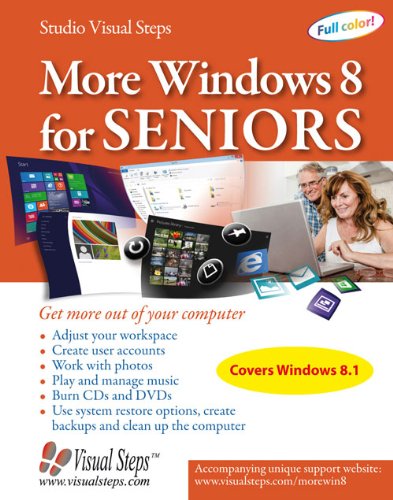
More Windows 8 for Seniors: Get More Out of Your Computer by Studio Visual Steps

More Windows 8 for Seniors: Get More Out of Your Computer

Studio Visual Steps
376 pages
Visual Steps
Jan 2014
Large Print]
Computers & Internet WSBN
3
Readers
1
Reviews
0
Discussions
0
Quotes
<b>This book is suitable for Windows 8.1!</b> <br>More Windows 8 for Seniors is highly recommended for everyone who wants to get the most out of their Windows 8.1 computer! If you want to learn more about Windows 8.1 and gain in-depth knowledge of this operating system, this is the ideal book for you. In this book you will learn how to order files, and create and use libraries, among other things. You will also learn how to create and manage user accounts. It can come in handy to have multiple user accounts, if your computer is used by more than one person.Are you interested in photo editing and managing your music? With the Photos app and the Windows Live Photo Gallery program you can easily edit your photos, and with Windows Media Player you can manage your music. After you have transferred your CD collection to the computer, you can create playlists with all your favorite songs, and play them on your computer. In this book you can also read more about burning files to CD or DVD, and about computer maintenance. For instance, you can clean up and optimize your hard drive, which will make the computer work more efficiently. Finally, you will also learn how to create restore points and a backup.<br><i>More Windows 8 for Seniors </i>is highly recommended for everyone who wants to get the most out of their Windows 8.1 computer!<br><b></b><br><br>Learn how to:<br>Adjust your workspaceCreate user accountsWork with photosPlay and manage musicBurn CDs and DVDsUse system restore options, create backups and clean up the computer Suitable for:<br>Windows 8.1 on a desktop computer or laptop
Join the conversation

No discussions yet. Join BookLovers to start a discussion about this book!

Understandable Windows 8 Solutions

Detailed, step by step instructions, accompanied by colored photos, walk the student through each process. Even though this book is written for Seniors, anyone struggling with the Windows 8 concept should find solutions here. Read more

No quotes shared yet. Join BookLovers to share your favorite quotes!

Earn Points
Your voice matters. Every comment, review, and quote earns you reward points redeemable for Bitcoin.
Comment +5 pts Review +20 pts Quote +7 pts Upvote +1 pt
BookMatch Quiz
Find books similar to this one
About this book
Pages 376
Publisher Visual Steps
Published 2014
Readers 3