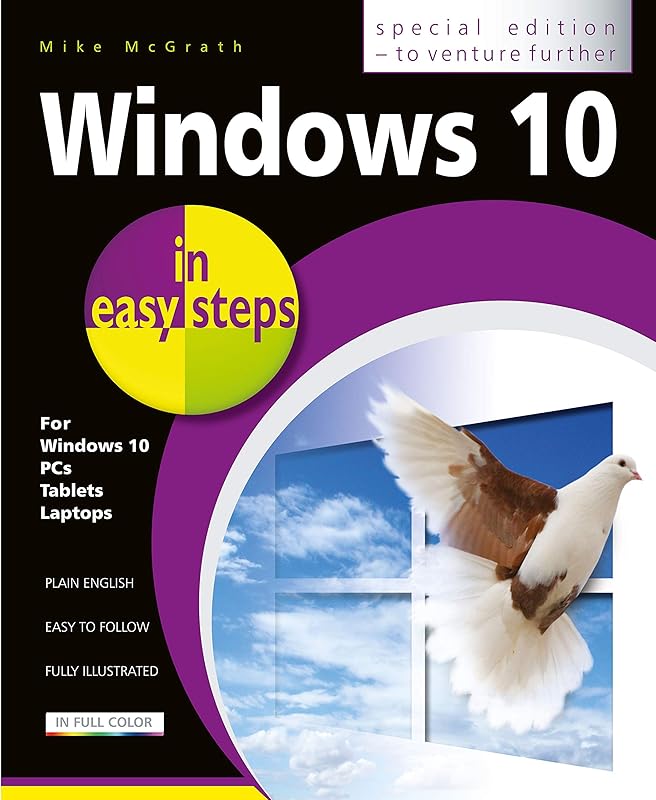
Windows 10 in easy steps - Special Edition, 3rd edition by Mike McGrath

Windows 10 in easy steps - Special Edition, 3rd edition

Mike McGrath
485 pages
In Easy Steps Limited
Sep 2019
Hardcover
Computers & Internet WSBN
0
Readers
0
Reviews
0
Discussions
0
Quotes
Windows 10 in easy steps - Special Edition, 3rd Edition builds on Windows 10 in easy steps and Windows 10 for Seniors in easy steps, taking the user to the next level. Written to help non-technical PC-users to make the most of their Windows 10 computer, all in the familiar In Easy Steps style. Windows 10 in easy steps - Special Edition, 3rd Edition is a comprehensive, yet concise guide that will walk you through Windows 10 basics so that you can get up and running in no time. Then, in easy steps, it'll gently guide you through advanced features to help you venture further and get more from Windows 10. * Install/upgrade the right Windows 10 release * Master the new interface, desktop and the Start menu * Learn to use the great new features in the Redstone 4 update * Find, download and use key apps for work and for fun * Utilize internet and cloud facilities such as OneDrive * Enjoy Microsoft Edge, the new innovative web browser * Take control of devices and printers * Save time - use the Search feature and Cortana * Create and monitor a home network * Organize and share files safely * Keep Windows 10 working smoothly & efficiently * Explore Windows Registry, file encryption, Windows PowerShell, and more * This guide also includes a chapter on troubleshooting so it'll serve as a key reference point for the future Table of Contents: 1. Introducing Windows 10 2. Choosing your computer 3. Installing Windows 10 4. The Windows 10 interface 5. Windows 10 apps 6. Desktop and Taskbar 7. Built-in programs 8. Windows downloads 9. Microsoft Store 10. Search techniques 11. Manage files and folders 12. Email and messaging 13. Microsoft Edge 14. Digital images 15. Windows games 16. Music and sound 17. Devices and printers 18. Networking Windows 19. Protection and Ease of Access 20. Troubleshooting 21. Backup and recovery 22. Security and encryption 23. Windows PowerShell 24. Update and maintain 25. Windows performance 26. Windows Registry 27. Extending Windows
Join the conversation

No discussions yet. Join BookLovers to start a discussion about this book!

No reviews yet. Join BookLovers to write the first review!

No quotes shared yet. Join BookLovers to share your favorite quotes!

Earn Points
Your voice matters. Every comment, review, and quote earns you reward points redeemable for Bitcoin.
Comment +5 pts Review +20 pts Quote +7 pts Upvote +1 pt
BookMatch Quiz
Find books similar to this one
About this book
Pages 485
Publisher In Easy Steps Limite...
Published 2019
Readers 0