




iPad 2 For Seniors For Dummies by Nancy C. Muir

iPad 2 For Seniors For Dummies

Nancy C. Muir
388 pages
John wiley & Sons
Dec 2011
Computers & Internet WSBN
3
Readers
1
Reviews
0
Discussions
0
Quotes
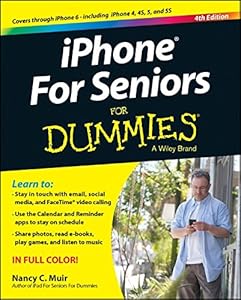
<b>Oh, all the amazing things your iPad and iPad 2 can do!</b> <p>Lightweight, powerful, and perfect for reading and staying in touch, iPads are fun and practical for today's seniors, as long as you know how to use all the bells and whistles. That's where this helpful guide comes in. Written in the friendly <i>For Dummies</i> style and sporting senior-friendly larger type and full-color illustrations, this book can help you get the most out of your iPad or iPad 2, even if you don't ordinarily use a computer.</p> <p>This new edition includes pages of updated content, including the latest features in iOS 5 and iCloud. You'll first learn to set up your iPad, get familiar with the touchscreen interface, and explore accessibility features. Then you'll learn to browse the Internet with mobile Safari, use maps, set up and manage your e-mail, buy and read e-books, download and play music and movies, work with photos, make FaceTime video calls, and discover how to extend the iPad's capability even more with apps.</p> Covers the iPad and iPad 2 Includes senior-friendly larger fonts and full-color illustrations Explains how to use the iPad in the clear, friendly, easy-to-follow language that has defined the Dummies series for two decades Covers using maps and the calendar, video chatting with FaceTime, browsing the web, using your iPad for e-mail and Facebook, buying apps and games, reading iBooks, playing music, watching videos, viewing photos, user security and safety, and more New edition is updated with new content on iOS 5 and iCloud features, including iMessage, Newsstand, Reminders, Reader and Reading List tools, and more <p>The iPad combines the best of your favorite gadgets into one amazing device - whatever you want your iPad to do, the fun starts with <i>iPad 2 For Seniors For Dummies</i>.</p>
Join the conversation

No discussions yet. Join BookLovers to start a discussion about this book!

Easy to use book for older folk.

The baby boomers didn't have computers when they were children. But their children had the beginning of the computer craze, and their grandchildren now have iPads. In order to be able to use iPads with grandchildren, the grandparents need a guide to interpret this what to them is like a foreign language. iPad for Seniors is just the right book for us older folk, me included. It is in large print for easier reading. It starts off with introducing you to iPad features, especially using the Home screen. Then it shows you how to connect to the Internet, email your Grandkids, shop for media and apps. It shows you how to make video calls and instant message. Soon what seems impossible is now fun: the Newsstand app has your favorite magazines, and you can hear music (the sound can be turned higher for the hearing impaired), see videos, get apps you like. And the iPad will help you stay organized with its reminders & notifications. There are maps, iBooks, how to use iCloud help, even troubleshooting tips. I think the best is the "let your iPad find itself" for people, like me, who misplace items. Grandmas & grandpas, this is the iPad "life alert" book. Read more

No quotes shared yet. Join BookLovers to share your favorite quotes!

Earn Points
Your voice matters. Every comment, review, and quote earns you reward points redeemable for Bitcoin.
Comment +5 pts Review +20 pts Quote +7 pts Upvote +1 pt
BookMatch Quiz
Find books similar to this one
About this book
Pages 388
Publisher John wiley & Sons
Published 2011
Readers 3