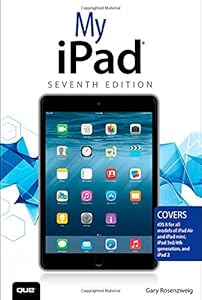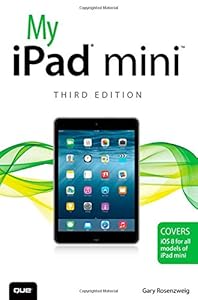
My iPad for Seniors by Gary Rosenzweig

My iPad for Seniors

Gary Rosenzweig
464 pages
Pearson P T R
Nov 2013
Computers & Internet WSBN
0
Readers
0
Reviews
0
Discussions
0
Quotes
<b>Covers iOS 7 for iPad Air, 3rd/4th generation, iPad 2, and iPad mini<br> </b> <br>Easy, clear, readable, and focused on what you want to do.<br> <i>Step-by-step instructions</i> with callouts to iPad photos that show you exactly what to do.<br> <i>Large, full-color, close-up photos </i>when you run into iPad problems or limitations.<br> <i>Common-sense help</i> whenever you run into problems.<br> <i>Tips and notes</i> to help you get the most from your iPad.<br> <br>Full-color, step-by-step tasks walk you through getting and keeping your iPad working just the way you want. Learn how to:<br>* Connect your iPad to your Wi-Fi and 3G/4G LTE networks<br>* Use Control Center to control frequently used settings<br>* Use Siri to control your iPad or get information by speaking commands<br>* Use iCloud to keep everything current between all your iOS devices (and even your Mac) , including music, photos, emails, and more<br>* Surf the Web, and send and receive email<br>* Download and install apps to make your iPad even more useful<br>* Secure your iPad<br>* Record and edit video using iMovie for iPad<br>* Take photos, and then edit them using iPhoto for iPad<br>* Use AirDrop to share files and information with other iOS devices in your vicinity<br>* Manage your contacts, and then connect with others using Messaging<br>* Use iTunes to manage and sync iPad content with your computer<br>* Use FaceTime and Skype to stay connected with friends and family, or to conduct video conferences<br>* Use Pages, Numbers, and Keynote to create document, spreadsheets, and presentations<br> <br> <br>

No discussions yet. Join BookLovers to start a discussion about this book!

No reviews yet. Join BookLovers to write the first review!

No quotes shared yet. Join BookLovers to share your favorite quotes!