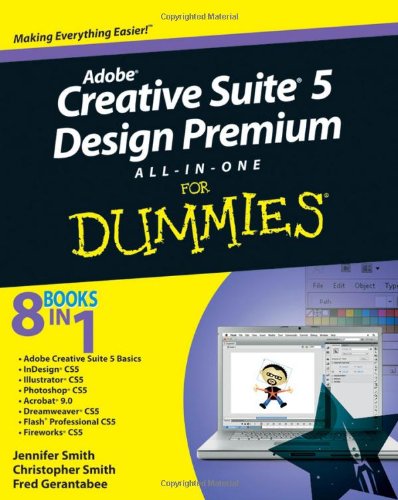
Adobe Creative Suite 5 Design Premium All-in-One For Dummies by Jennifer Smith

Adobe Creative Suite 5 Design Premium All-in-One For Dummies

Jennifer Smith
984 pages
Wiley
Jun 2010
Computers & Internet WSBN
3
Readers
1
Reviews
0
Discussions
0
Quotes
<b>The perennial Adobe Creative Suite bestseller - fully updated for Adobe CS5</b> <p>Featuring eight books in one, this <i>All-in-One For Dummies</i> guide covers the key features and tools that you need to know in order to understand how to use each individual program within the Adobe Creative Suite - InDesign, Illustrator, Photoshop, Acrobat, Dreamweaver, Fireworks, and Flash - to its fullest potential. Within the nearly 1,000 pages, you'll find creative inspiration as well as tips and techniques to sharpen you productivity.</p> Dedicates a minibook to each of the programs within the latest version of Adobe Creative Suite 5 - InDesign, Illustrator, Photoshop, Acrobat, Dreamweaver, Fireworks, Flash - as well as a minibook devoted to Creative Suite basics Serves as a one-stop learning opportunity for each product inside the Design Premium Suite Walks you through creating print and web-based marketing or advertising materials or other publications <p><i>Adobe Creative Suite 5 Design Premium All-in-One For Dummies</i> is a premium resource on all Adobe Creative Suite 5 can do for you.</p>
Join the conversation

No discussions yet. Join BookLovers to start a discussion about this book!

An indispensable guide and overview

This book is essential for someone who owns the Creative Suite for Designers. If you have had it before, it brings you up to date on the changes and additions to each individual program. If, like me, you've owned individual programs in the suite but never the entire suite, it gives you a general overview of the purposes and capabilities of each individual program, and an idea of how to make the Suite work together seamlessly and in an intelligently coordinated manner. The initial overview serves to: * define the scope of each program * help you set Suite-wide preferences for color management, etc., * familiarizes you with elements of the user interface, concepts like layers, shortcuts, and menus that are common to all programs, * shows you how to move the same file from program to program or work with files created in another Suite application * and just generally points out ways to work more efficiently. From there, you proceed to program-specific details on each of the seven component programs. Each program is given sufficient attention that you become familiar with its capabilities, interface, and very general usage instructions for common tasks. This overview or introduction covers the important features and is sufficient to make you feel comfortable in the workspace and eager to experiment, but is not a substitute for a book that goes into more depth and specifics on the type of work that you plan to do with an individual program. Looking over the programs I know fairly well (Photoshop, Dreamweaver, and Acrobat), I found the information to be both general and relevant to all types of users. In Photoshop, for example, which has two constituencies (the photographer and the designer) both needs were well covered. Since this is the first time that I have owned Photoshop Extended, I appreciated the introduction to those features. The coverage of the other two is equally good and, since I was upgrading from several versions back, I really benefited for the review ...

No quotes shared yet. Join BookLovers to share your favorite quotes!

Earn Points
Your voice matters. Every comment, review, and quote earns you reward points redeemable for Bitcoin.
Comment +5 pts Review +20 pts Quote +7 pts Upvote +1 pt
BookMatch Quiz
Find books similar to this one
About this book
Pages 984
Publisher Wiley
Published 2010
Readers 3