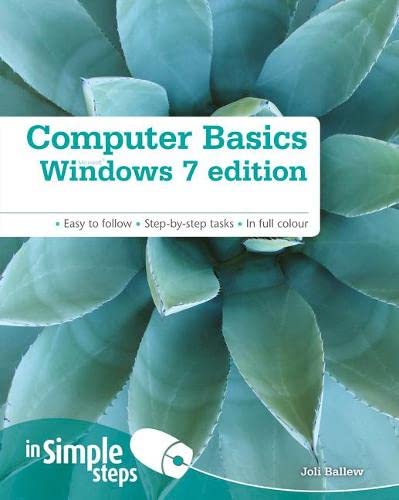


Computer Basics Windows 7 Edition In Simple Steps by Joli Ballew

Computer Basics Windows 7 Edition In Simple Steps

Joli Ballew
224 pages
Pearson Education Canada
Jul 2010
Paperback
Computers & Internet WSBN
0
Readers
0
Reviews
0
Discussions
0
Quotes
Top 10 Tips to Get You Started . Chapter 1 Set Up a PC or Laptop. Connect a USB mouse and keyboard Locate and press the power button Connect and install a USB printer Connect additional hardware Chapter 2 First Steps. Explore the Getting Started window Open an application Open a window Shut down windows safely Chapter 3 Explore Windows 7 Applications. Write a letter with Notepad Reopen a saved file View sample pictures Empty the Recycle Bin Chapter 4 Work with Files and Folders. Create a folder on the desktop Open a saved file Search for a lost file Back up a folder (or file) to an external drive Chapter 5 Work with Windows . Change the view in a window Restore a window Move a window Reposition a window to take up half the screen Chapter 6 Personalize Windows 7. Add desktop icons Create a shortcut on the desktop Search for anything from the Start menu Configure the Taskbar Chapter 7 Surf the Internet. Open a Web site in Internet Explorer Set a Home page Mark a Favorite Stay safe online Chapter 8 Get Windows Live Essentials. Download and install Windows Live Essentials Get a Windows Live ID Sign in Open Windows Live Photo Gallery Chapter 9 Windows Live Mail. Set up a Windows Live e-mail account Compose and send a new email Attach something to an email using Attach Add a contact Chapter 10 Work with Media. Open Media Player and locate music Listen to a song View pictures in Windows Live Photo Gallery Open Media Center Chapter 11 Connect to your Home Network. Create the connection Enable Network Discovery Access the Public folder Diagnose Connection Problems Chapter 12 Manage Computer Resources and Connected Devices. Use ReadyBoost Use Disk Defragmenter Change what happens when you press the power button or close the lid Manage all connected devices Chapter 13 Stay Secure. Require a password Scan for viruses with Windows Defender Enable the Firewall Create a basic backup Chapter 14 Fix Problems. Use System Restore Disable unwanted start up items Resolve internet connectivity problems Uninstall unwanted programs

No discussions yet. Join BookLovers to start a discussion about this book!

No reviews yet. Join BookLovers to write the first review!

No quotes shared yet. Join BookLovers to share your favorite quotes!